
Claude Is Now in Excel, Sheets & PowerPoint, What It Means for Finance
Anthropic's Cowork platform brings Claude for Google Sheets, Excel, and PowerPoint to finance teams, with shared context across apps and one-click finance skills. Here is what the launch means, what it can actually do, and how it compares to Microsoft Copilot.
Summary
- Claude Is Now Inside Spreadsheets: Anthropic's Cowork platform embeds Claude directly into Microsoft Excel, Google Sheets, and PowerPoint as native add-ins with no copy-paste required.
- Shared Context Across Apps: Claude in Cowork sees your spreadsheet, slide deck, and email simultaneously, eliminating the manual data shuffling that defines most finance workflows today.
- One-Click Finance Skills: Pre-built actions for variance analysis, budget vs. actual commentary, cash flow summaries, and scenario narratives let finance teams delegate mechanical report writing to Claude instantly.
- Claude vs. Copilot: Claude's shared cross-app context and stronger long-document reasoning give it an edge over Microsoft Copilot for complex financial modeling and multi-source analysis tasks.
- What It Does Not Replace: Claude in spreadsheets is a productivity layer. It does not replace ERP-connected AP automation, reconciliation agents, or finance AI that writes directly to your general ledger.
- Enterprise Deployment: Cowork runs on Anthropic's enterprise tier and is deployable on Amazon Bedrock, Google Vertex AI, and Azure AI Foundry, giving IT teams full data governance control.
For the past two years, finance teams have been promised that AI would meet them where they work, inside spreadsheets, slide decks, and the tools they already use every day. In February 2026, Anthropic made that promise concrete. The company launched Cowork, a platform that embeds Claude directly inside Microsoft Excel, Google Sheets, PowerPoint, Slack, Gmail, and Google Drive, with a shared context layer that lets Claude reason across all of them simultaneously.
This is not just another AI add-in. The key architectural difference is shared context: Claude working in Cowork can see your Excel model, your PowerPoint deck, and your Gmail thread at the same time, without you manually copying data between them. For finance professionals who spend their days shuttling numbers from a model to a presentation to an email, that is a genuine workflow shift.
This article explains what Cowork actually launched, how the finance-specific features work, how Claude for Excel compares to Microsoft Copilot, and, critically, what Claude in spreadsheets cannot replace (spoiler: your ERP-connected automation layer, which is a different problem entirely).
What Anthropic Just Launched: The Cowork Announcement
Anthropic announced Cowork in February 2026, positioning it as the enterprise integration layer for Claude Sonnet and Claude Opus across the productivity tools that knowledge workers already use. The core insight behind Cowork is that most enterprise AI deployments fail not because the underlying model is weak, but because the AI is siloed, it exists in a chat interface while the user's actual work lives in spreadsheets, documents, and communication tools.
Cowork addresses this with a plugin architecture that embeds Claude as a sidebar or inline assistant inside host applications. Available initially for Microsoft Excel (as an Office Add-in), Google Sheets (as a Workspace Add-on), Microsoft PowerPoint, Slack, Gmail, Google Drive, and DocuSign, Cowork turns Claude into a contextual collaborator that has direct access to the document or dataset the user is working in.
The launch attracted significant coverage from VentureBeat and PYMNTS, both of which highlighted the finance use case as the primary target market. Anthropic confirmed partnerships with financial data providers FactSet and MSCI at launch, enabling Cowork to pull live market data directly into Claude's context window, a capability that has clear implications for equity research, financial modeling, and investment management workflows.
Cowork is available through Anthropic's enterprise tier and is also deployable on Amazon Bedrock, Google Cloud Vertex AI, and Microsoft Azure AI Foundry, giving enterprise IT teams flexibility in where the Claude models run and how data governance is maintained.
Shared Context Across Apps: Why This Is a Paradigm Shift for Finance
The single most important technical feature of Cowork for finance teams is shared context. To understand why this matters, consider the typical workflow for a financial analyst building a board deck: they run a DCF model in Excel, extract the key outputs, paste them into a PowerPoint template, write a commentary email to their VP, and then update the model three times before the final presentation. Each of those steps involves manual copy-paste, format conversion, and re-explanation of context.
With Claude's shared context in Cowork, all of this changes. Claude can simultaneously see the Excel model, the PowerPoint deck being updated, and the email thread where the VP asked for changes, and it can make coordinated updates across all three. Change an assumption in your DCF model in Excel, and Claude can automatically update the corresponding slide in PowerPoint and draft an updated comment for the email thread. The context transfer that previously required 20 minutes of careful copy-paste happens in one instruction.
This is qualitatively different from how other AI tools handle multi-app workflows. ChatGPT's and Copilot's integrations are largely siloed: the AI knows what is in the document or spreadsheet it is currently working in, but not what is in other open applications. Claude's Cowork architecture uses a session-level context window that spans all connected applications, allowing it to reason across data sources that would otherwise require manual reconciliation.
For finance teams, the practical implications are significant. Variance analysis that previously required an analyst to manually reference three separate spreadsheets and write a narrative summary can now be delegated to Claude in Cowork, which pulls the data from all three, identifies the variances, and drafts the commentary. The analyst reviews, refines, and approves rather than doing the mechanical assembly work. This is the pattern that has the greatest potential to change how finance teams spend their time.
Claude's One-Click Finance Skills: DCF, LBO, Variance Reports, Board Decks
A key element of the Cowork launch for finance is the concept of reusable finance skills, pre-built workflow templates that execute complex financial analyses with a single click or prompt. Anthropic launched Cowork with a library of finance-specific skills built for Claude AI spreadsheet automation, covering the most common use cases in investment banking, corporate finance, FP&A, and financial reporting.
DCF Model Builder: Claude's DCF skill can build a discounted cash flow model from scratch inside Excel or Google Sheets, pulling the company's historical financials from the user's data or from connected FactSet/MSCI feeds, projecting revenue, EBITDA, and free cash flow based on configurable assumptions, and calculating enterprise value and implied equity value. The model includes sensitivity tables, scenario toggles, and a formatted output sheet. What previously took a junior analyst 4, 6 hours to build from a template now completes in minutes, with the analyst's time focused on assumption validation rather than model construction.
LBO Model: The LBO analysis skill operates similarly, building a leveraged buyout model with configurable debt structures, return analysis, and sensitivity tables. Analysts can specify acquisition assumptions, financing structure, and exit multiples, and Claude generates the full model with IRR and MOIC calculations, debt repayment schedules, and returns waterfall. For private equity and investment banking teams, this capability directly compresses the time spent on preliminary deal analysis.
Variance Reports: Claude for Google Sheets and Excel can generate automated variance analysis reports comparing actual versus budget or prior-period performance across any financial dataset. The skill reads the raw data, identifies material variances, calculates the drivers, and drafts a narrative explanation formatted for management reporting. Finance teams using Claude AI for financial modeling report that variance report preparation time falls from 3, 4 hours to under 30 minutes per reporting cycle. You can read more about AI-powered variance analysis in our guide to FP&A real-time variance analysis.
Board Decks and Management Presentations: Claude's PowerPoint finance skill translates spreadsheet data into formatted slide content, pulling key metrics from Excel models, generating chart-ready data tables, and drafting narrative commentary for each slide. The shared context capability means that when the underlying model changes, Claude can update the corresponding slides automatically rather than requiring manual reformatting.
Finance skills in Cowork are designed to be reusable workflows: once built and refined, they can be saved to a team library and reused across periods, deals, or entities, turning one-off analysis into a repeatable, scalable process. This is the Claude finance skills reusable workflows vision that Anthropic highlighted in the launch: AI that does not just answer questions but executes standardized finance processes on demand.
Cowork Finance Plugins: FactSet, MSCI, and DocuSign Integrations
The Anthropic Cowork enterprise plugins that matter most for finance teams go beyond productivity apps. At launch, Anthropic confirmed three data integrations with direct finance applications: FactSet, MSCI, and DocuSign.
FactSet Integration: The FactSet plugin brings live financial data, company financials, estimates, market data, and news, directly into Claude's context window within Excel or Google Sheets. This means an analyst can ask Claude to pull FactSet data for a set of comparable companies, build a trading comps table, and format it for a presentation, all without leaving Excel and without manually exporting from FactSet's interface. For equity research teams and corporate development professionals, this integration reduces the friction between financial data and analysis significantly.
MSCI Integration: The MSCI plugin focuses on ESG data, risk factors, and index data, enabling portfolio managers and risk teams to incorporate MSCI's datasets into Claude-assisted analysis. For finance teams at asset managers, insurers, and pension funds that regularly work with MSCI's risk models and ESG ratings, the ability to pull this data into a Claude session for analysis and reporting automation is a material workflow improvement.
DocuSign Integration: The DocuSign Cowork plugin enables Claude to read, summarize, and extract key terms from executed agreements within the finance workflow. For controllers managing contract-based accruals, lease accounting teams tracking ASC 842 obligations, or procurement teams reviewing vendor agreements, Claude's ability to directly parse DocuSign documents and incorporate their terms into spreadsheet analysis eliminates the manual data extraction step that typically precedes any contract-driven financial calculation.
Anthropic has signaled that the Cowork plugin ecosystem will expand through 2026, with additional financial data providers and enterprise software integrations planned. The platform uses a standard API-based plugin architecture compatible with the OpenAI plugin specification, which means existing integrations built for other AI systems can be adapted for Cowork with relatively low engineering effort.
Claude vs. Microsoft Copilot for Excel: Key Differences for Finance Teams
The most common question from finance teams evaluating Cowork is how Claude compares to Microsoft Copilot for Excel, the embedded AI that Microsoft has been rolling out across its Microsoft 365 enterprise suite. The comparison is legitimate, and the differences are meaningful.
Model quality and reasoning depth: Claude Opus and Claude Sonnet are widely regarded as the strongest available models for complex analytical reasoning tasks, outperforming GPT-4o on multi-step financial analysis, long-document comprehension, and instruction-following in controlled benchmarks. For tasks like building a multi-tab financial model from scratch, analyzing a long-form contract for key terms, or generating a detailed variance narrative, Claude's reasoning capability currently exceeds what Microsoft Copilot delivers via its underlying GPT-4o integration. Finance teams that have tested both tools report that Claude produces fewer errors in complex model construction and writes more precise financial commentary.
Shared context architecture: This is where the comparison is clearest. Microsoft Copilot in Excel operates within Excel, it can see the spreadsheet but not the PowerPoint, the email, or the Slack message. Claude's Cowork shared context spans all connected applications simultaneously. For finance professionals who work across multiple tools in the same analytical workflow, this cross-app reasoning is a practical advantage that Copilot does not currently match.
Finance-specific skills and data integrations: Cowork's launch with FactSet and MSCI integrations gives it a meaningful advantage for investment and financial analysis use cases where live market data is needed inside the modeling environment. Microsoft Copilot's integrations currently focus on Microsoft's own ecosystem (Teams, SharePoint, Dynamics) rather than third-party financial data providers.
Microsoft ecosystem integration: Copilot's advantage is deep, native integration with the full Microsoft 365 stack. If your organization relies heavily on SharePoint, Teams, Dynamics 365, and Azure, Copilot's ability to pull from and write back to those systems without additional configuration is a real advantage. Cowork works well within Microsoft tools but does not have the same native SharePoint or Teams data access that Copilot has built-in.
Deployment and governance: Both platforms support enterprise deployment on major cloud providers (Azure for Copilot; AWS Bedrock, Google Vertex, or Azure for Cowork). Finance teams with strict data residency requirements should evaluate both platforms' data handling architecture carefully, as both offer options but with different configurations. Explore a broader comparison of leading AI finance agents for 2026 to see how these tools fit into the broader landscape.
How Finance Teams Should Start Using Claude in Spreadsheets Today
The right way to think about Claude for Google Sheets, Excel, and PowerPoint is as a force multiplier for ad-hoc analytical work, the financial modeling, scenario analysis, variance reporting, and presentation building that sits outside your core ERP-connected automation workflow. Here is where to start:
- Variance analysis and management reporting. This is the fastest ROI use case. Finance teams that run monthly budget versus actual reporting can immediately benefit from Claude's ability to read the raw data, identify material variances, quantify drivers, and draft the narrative commentary for the management pack. The first month of using Claude for this task typically saves 3, 5 hours per report, with quality often exceeding what analysts produce manually under time pressure.
- Financial model construction and review. Use Claude to build first-draft financial models in Excel or Google Sheets, three-statement models, DCF analyses, scenario models, then validate assumptions and refine. Claude AI for financial modeling is particularly strong at building clean, well-structured model architectures with consistent formula logic, which reduces the time spent fixing formula errors in models built quickly by junior staff. See our analysis of best AI finance data query copilots for more on this category.
- Board and investor presentation drafting. Use Claude's shared context to pull outputs from your Excel models directly into PowerPoint, generate chart commentary, and format slide content to your organization's template standards. This is most effective when Cowork has access to both the source model and the target presentation simultaneously.
- Contract and document analysis. With the DocuSign integration, use Claude to extract key financial terms from vendor agreements, lease contracts, and service agreements directly into your spreadsheet analysis, eliminating manual document reading for standard contract review tasks.
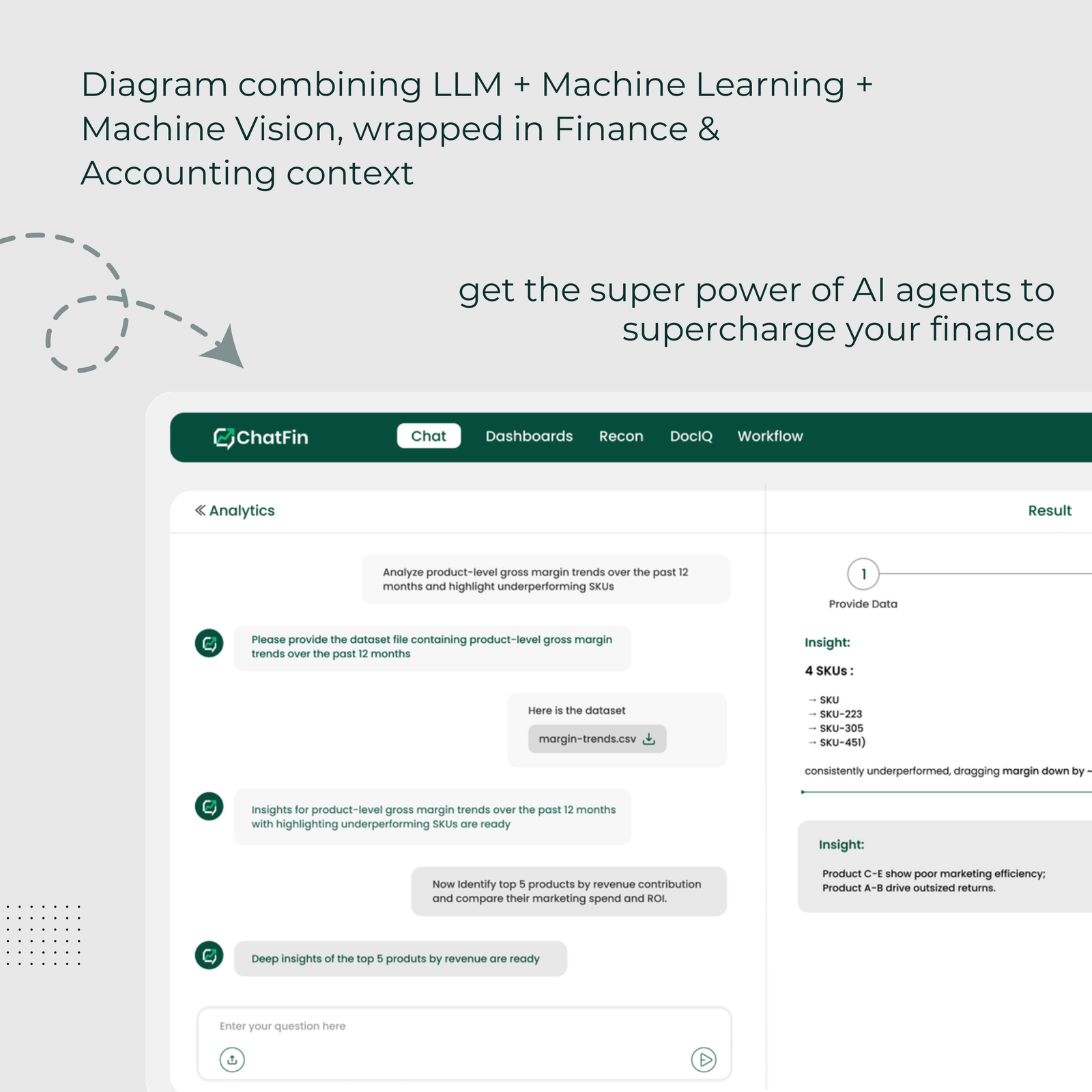
- Define the boundary with your ERP automation layer. This is the most important strategic point: Claude in Cowork handles ad-hoc, analytical, and presentational work in spreadsheets. It does not replace your ERP-connected automation, the automated journal entries, accrual management, reconciliation, and AP/AR workflows that run through your NetSuite, SAP, or Oracle instance. Those workflows require system-level integration, access to ERP transaction data, and SOX-compliant audit trails that a spreadsheet AI cannot provide. Tools like ChatFin handle that layer. Claude handles what lives in spreadsheets and documents.
Frequently Asked Questions: Claude for Excel, Sheets & PowerPoint
Can Claude work inside Microsoft Excel?
Yes, Claude is available inside Microsoft Excel through the Anthropic Cowork Office Add-in, which can be installed from the Microsoft AppSource marketplace or deployed enterprise-wide through Microsoft 365 admin tools. The add-in opens as a sidebar within Excel, giving Claude access to the workbook's data and allowing it to read, analyze, generate formulas, build models, and insert content into the spreadsheet. Claude can also access other connected Cowork applications simultaneously through shared context, meaning it is not limited to seeing only the Excel file.
What is Anthropic Cowork?
Anthropic Cowork is a platform that embeds Claude AI models (Claude Sonnet and Claude Opus) directly inside enterprise productivity tools, including Microsoft Excel, Google Sheets, PowerPoint, Slack, Gmail, Google Drive, and DocuSign. Its defining feature is shared context: Claude can see and reason across all connected applications simultaneously, rather than being limited to a single document or interface. Cowork also includes a library of reusable finance skills, pre-built workflows for DCF models, LBO analysis, variance reports, and other common finance tasks, and integrates with financial data providers including FactSet and MSCI.
How does Claude's shared context work across Excel and PowerPoint?
Claude's shared context in Cowork is maintained at the session level, when you have both Excel and PowerPoint open with Cowork active, Claude can access the content of both applications through a unified context window. This means you can ask Claude to take specific outputs from your Excel model and update the corresponding slides in PowerPoint, without manually copying data. The shared context is also available across Gmail and Slack threads, allowing Claude to incorporate discussion context (such as a comment from a VP about a specific metric) directly into its model updates or presentation changes. This cross-app reasoning capability is architecturally different from single-app AI assistants like Microsoft Copilot in Excel, which operates within the Excel environment only.
How does Claude compare to Microsoft Copilot for finance work?
Claude has advantages in reasoning depth, shared context across applications, and finance-specific data integrations (FactSet, MSCI). It produces more accurate complex financial models and more precise analytical commentary in head-to-head testing. Microsoft Copilot has advantages in native Microsoft 365 ecosystem integration, particularly with SharePoint, Teams, and Dynamics 365, and benefits from Microsoft's deep enterprise deployment infrastructure. For pure spreadsheet and presentation work requiring complex analysis, Claude's model quality and cross-app context give it an edge. For organizations deeply embedded in Microsoft's enterprise stack, Copilot's native integrations are a practical consideration.
What finance plugins does Anthropic Cowork support?
At launch in February 2026, Anthropic Cowork supports FactSet (live financial data, company fundamentals, estimates, and news), MSCI (ESG data, risk factors, and index data), and DocuSign (contract reading and term extraction). These integrations bring live financial data directly into Claude's context window within Excel or Google Sheets, enabling analysis that combines the user's own financial models with real-time market data from professional data providers. Anthropic has indicated that additional financial data and enterprise software integrations are planned for 2026.
The Spreadsheet Era of AI Has Arrived, With Important Boundaries
Anthropic's Cowork launch marks a genuine inflection point for AI in finance. Claude for Google Sheets, Excel, and PowerPoint, with shared context across applications and one-click finance skills for DCF, LBO, and variance analysis, finally delivers on the promise of AI that meets finance professionals where they work, rather than requiring them to work inside a separate AI interface.
The shared context architecture is the real breakthrough. Eliminating the copy-paste layer between financial models, presentations, and communications compresses analysis cycles and removes a chronic source of errors and version confusion. Finance teams that fully adopt Claude's Cowork workflow for their analytical and presentational work should expect to recover 30, 40% of the time currently spent on mechanical assembly tasks.
But the boundary matters. Claude in Cowork handles the analytical and presentational work that lives in spreadsheets and documents. It does not replace the ERP-connected automation layer, the automated accruals, reconciliations, journal entries, and AP/AR workflows that run through your NetSuite, SAP, or Oracle instance and require system-level integrations, audit trails, and SOX controls. That layer is what platforms like ChatFin are built for.
The most effective finance teams in 2026 will combine both: Claude for the ad-hoc analytical and presentational work that lives in spreadsheets, and a purpose-built finance AI platform like ChatFin for the system-connected automation that drives the close. See ChatFin in action to understand what ERP-connected automation looks like alongside spreadsheet AI tools like Claude.
Your AI Journey Starts Here
Transform your finance operations with intelligent AI agents. Book a personalized demo and discover how ChatFin can automate your workflows.
Book Your Demo
Fill out the form and we'll be in touch within 24 hours