
SAP Business One AI Security, Governance and Controls

The question that decides whether an SAP Business One (SAP B1) AI project reaches production is not what the agent can do. It is what happens when it does something wrong. Least privilege access, existing approval procedures, transaction limits, masked data and a complete log are the conditions, and they belong in the design.
- An agent should never hold database credentials or unrestricted transaction access. It authenticates as a scoped SAP Business One (SAP B1) user through the Service Layer and inherits that user's permissions.
- SAP B1 already has approval procedures, authorisation groups and data ownership rules. Agents should trigger them, not route around them.
- Transaction limits by value and document type decide what posts automatically and what waits for a person. Conservative defaults are the correct starting position.
- Sensitive customer, employee, banking and supplier data is masked before it reaches a model, and deployment options cover on premise, private cloud and public cloud for residency requirements.
- Prompts, retrievals, proposals and postings are all logged and attributable, which is what makes the agent auditable rather than merely useful.
Every SAP Business One (SAP B1) AI evaluation reaches the same meeting. Finance is convinced by the use cases, and then someone asks what stops it creating a payment, changing a supplier's bank details or reading data it should not see. If the answer is that the vendor trusts their model, the project stops there, correctly.
The answer has to be structural. The controls below are not features to enable later. They are the conditions under which an agent should be allowed near an ERP at all, and they should be verifiable rather than asserted.
Access: How the Agent Authenticates and What It Can Reach
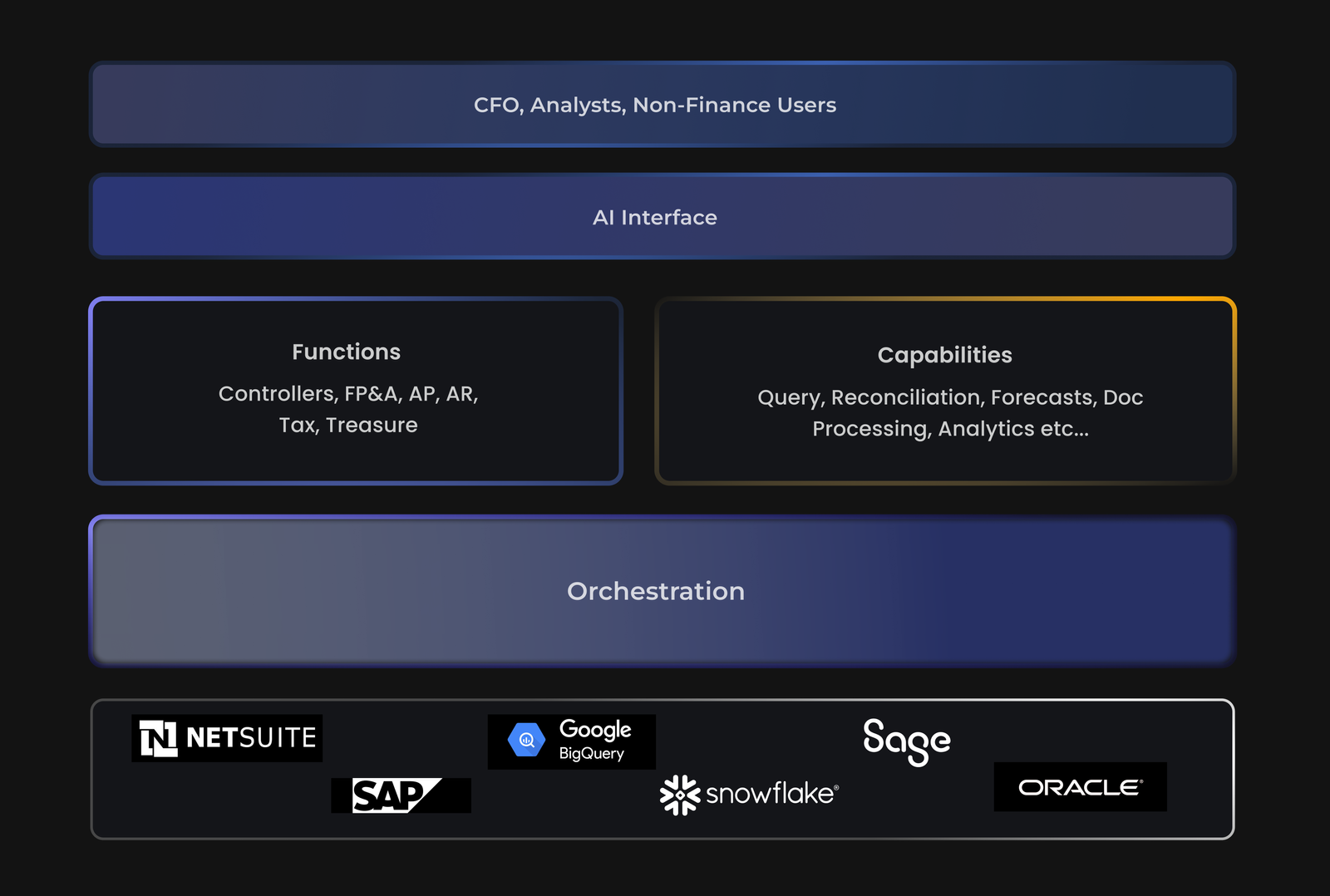
The foundational rule is that the agent has no privileges of its own. It acts as an SAP B1 user, through the Service Layer, and SAP Business One decides what that user may see and do exactly as it does for a person.
This is also why direct database access is unacceptable regardless of how it is secured. A database connection has no concept of an SAP B1 authorisation group, an approval procedure or a data ownership rule.
Preventing the Failure Modes That Actually Worry People
The concerns raised in evaluations are specific and reasonable: unauthorised payments, journal entries nobody sanctioned, supplier bank detail changes, inventory movements, sales orders created in error. Each has a concrete control.
Note the pattern: the strongest controls are not about detecting bad behaviour after the fact. They are about the agent never having the capability in the first place.

Approval Procedures, Limits and Segregation of Duties
SAP Business One customers have often spent real effort configuring approval procedures. An AI layer that builds its own parallel workflow both wastes that effort and creates a second, unreviewed control environment.
The correct behaviour is that an agent proposal is treated like any other proposal, and that the agent's user is subject to the same segregation of duties analysis a person's would be.

Data Handling, Masking and Deployment
The second half of the governance question is about the data itself: what leaves the SAP B1 environment, what a model sees, and where it is processed. For companies with privacy or residency obligations this is often the decisive requirement.
The right posture is to send the minimum, mask what is sensitive, and deploy where the obligation requires.
Logging: What Makes It Auditable
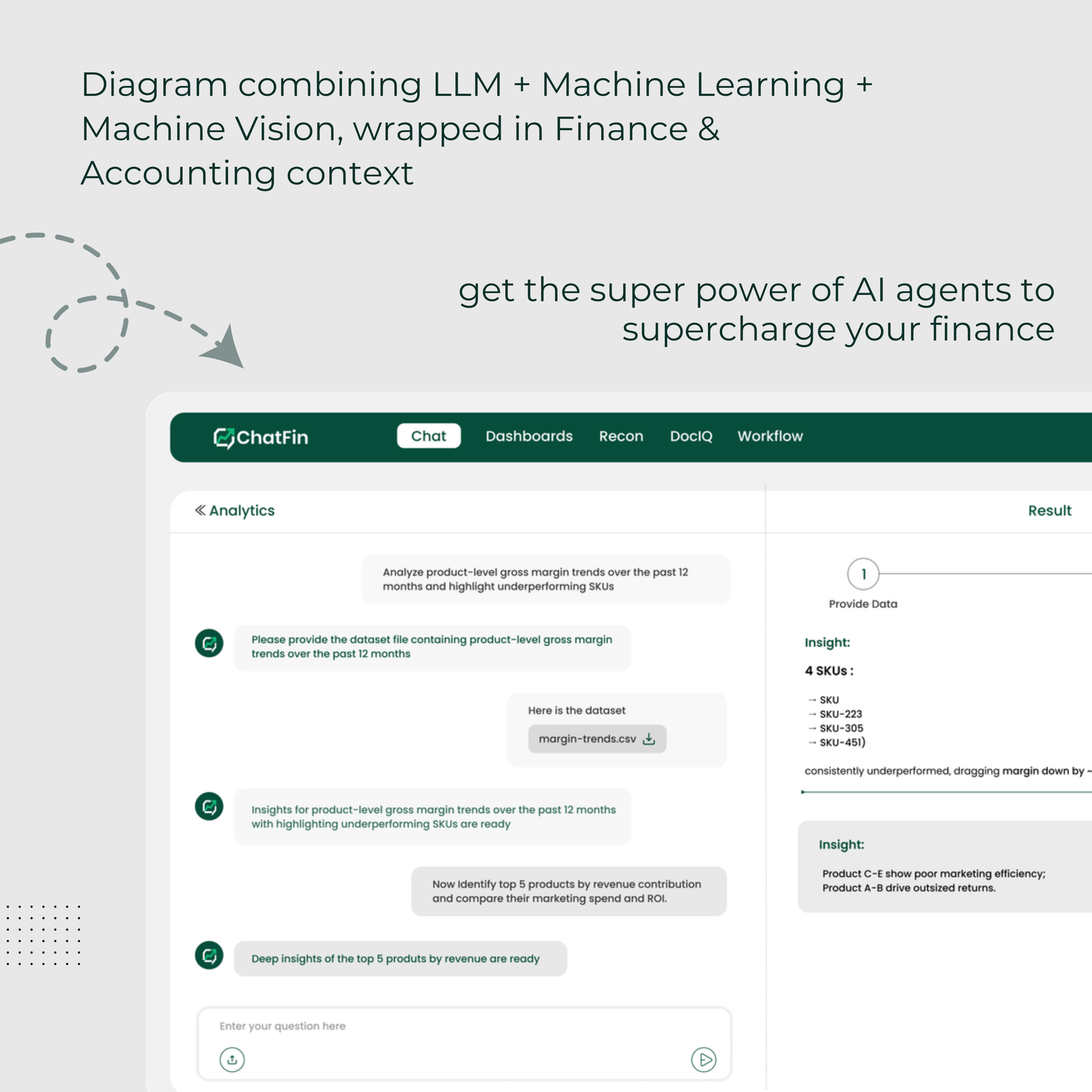
An agent that cannot show what it did is not deployable in a finance environment, whatever its accuracy. The logging requirement is stricter than for a person, because the volume is higher and the reasoning is not observable.
The practical test during evaluation is simple: pick a posting from last month and ask the platform to reconstruct why it happened. If that takes longer than a minute, the logging is not adequate.
Deploy AI on SAP Business One With Controls You Can Show an Auditor.
ChatFin connects to SAP Business One (SAP B1) through the Service Layer as a scoped user, honours your existing approval procedures and authorisation groups, enforces transaction limits, masks sensitive data before it reaches any model, and logs every prompt, retrieval, proposal and posting.
The question is never whether an agent can post a transaction. It is whether every transaction it posted can be explained. Build that first and the rest follows.
How to Test SAP B1 AI Controls Before Go Live
A control that is described is different from one that has been tried. Before an agent goes live, run the negative tests: ask its user to open a screen its authorisation group blocks, draft a document type that is not enabled, propose a value above the limit, and try to change a supplier's bank details. Each should be refused or routed to a person, and each refusal should appear in the log.
Keep the results. A one page record of what was tried, what happened and which log entry shows it is the evidence an external auditor will ask for, and it can be repeated after any change to the agent's permissions. Repeat the tests after each permission change, because scope tends to widen quietly.
Caitlin Haberberger, CFO of Verdant, speaks on the AgentCFO podcast about audits and accountability in accounting.
“Different disciplines in accounting, you're having to undergo things like audits. You're held to a level of rigor and accountability that other teams at a company might not be.”
What Each Reviewer Checks in a B1 AI Rollout
Five people with a stake in the rollout, and the specific thing each one looks at.
- The controller. Opens a sample of drafted entries and checks that the support is attached and the account is right. If a limit is wider than the team's habits justify, this is where it shows.
- The IT administrator. Looks at the Service Layer user: which authorisation groups it holds, whether the account is shared, how its credentials are stored and when they rotate. A dedicated user per purpose is the pattern to look for.
- The internal auditor. Compares the document types the agent is allowed to draft with the types that actually appear in the log. A document type in the log that was never enabled is a finding.
- The accounts payable lead. Checks supplier bank detail changes. The test is whether each change was flagged for a person and none was applied automatically, with the unusual suppliers written into the review notes.
- The data protection owner. Checks what leaves the SAP B1 environment, what is masked before a model sees it and where processing happens. For a company with residency obligations, the deployment option is the first item on the checklist.
Caitlin Haberberger, CFO of Verdant, speaks on the AgentCFO podcast about transparency in accounting.
“Sometimes people can think of pieces of accounting as this black box. And I totally agree with the transparency and visibility.”
Adam Swoverland, VP of Finance at US Auto Force, speaks on the AgentCFO podcast about risk and documented processes.
“As managers, we have to take a look at where those critical risks are at. And make sure that we have redundancy and documented processes to make sure we don't have that. To the extent that we can automate a process or find a technology solution to eliminate the need for tribal knowledge, we should focus on that.”
Quick Answers on SAP B1 AI Governance
Is it safe to give an AI agent access to SAP Business One?
It can be, if the agent acts as a scoped SAP B1 user through the Service Layer and holds no database credentials. B1 then applies its own authorisations to every call, exactly as it does for a person.
What SAP B1 user permissions should an AI agent have?
The minimum for its purpose, in a dedicated user and not a shared administrator account. What that user cannot open in the SAP B1 client, the agent cannot retrieve. Review the permissions on the same cycle as human roles.
Can an AI agent change supplier bank details in SAP Business One?
It should never do so automatically. A good setup detects the change and flags it for a person, which is one of the most valuable fraud controls in accounts payable. Releasing payments also stays with a human.
How do I audit what an AI agent did in SAP B1?
Ask for the log of every prompt, retrieval, proposal and posting, tied to a user and a session. A posting from three months ago should trace back to the invoice, the match, the reasoning and the approver.
Does AI need new approval workflows in SAP Business One?
No. If a document type already requires approval in SAP B1, an agent's proposal triggers the same procedure. A parallel workflow wastes the effort already spent and creates a second, unreviewed control environment.