
Best AI Alternatives to Manual Excel Reconciliation in 2026
Excel reconciliation is universal, flexible, and quietly expensive. Here are the AI alternatives, how they differ from the spreadsheet, and the honest cases where Excel is still fine.

- Manual Excel reconciliation is everywhere because Excel is flexible and free of implementation. It is also quietly expensive: hours of matching, fragile formulas, and errors that hide until an audit.
- The AI alternatives range from reconciliation features inside close tools to dedicated matching tools to cross-system reasoning layers, and this page maps each.
- The difference is that AI alternatives match and explain across systems rather than requiring a person to do it by hand in a sheet.
- It ends by naming the cases where Excel reconciliation is honestly still fine, because for some, it is.
Manual Excel reconciliation is the default across finance for good reasons: Excel is flexible, universal, and needs no implementation. You can reconcile almost anything in a spreadsheet if you are willing to spend the time. And that last clause is the catch, because the time adds up, the formulas get fragile, and errors hide until someone finds them.
The AI alternatives promise to match and explain across systems instead of asking a person to do it by hand. This page walks the options fairly, shows how they differ from the spreadsheet, and ends by being honest about the cases where Excel reconciliation is still perfectly fine.
The quiet cost of Excel reconciliation
The hidden price
Excel reconciliation feels free because there is no license to buy, but the cost is real: it is the hours spent matching line by line, the fragility of formulas that break when someone edits a cell, and the errors that persist because a spreadsheet does not check itself against reality.
It also does not scale gracefully. What works for one account and a hundred lines becomes unmanageable across many accounts and thousands of lines, and the manual effort grows faster than the volume. The spreadsheet is flexible, but flexibility is not the same as efficiency.
The AI alternatives, by type
The alternatives fall into a few types, each replacing part of what the spreadsheet does by hand.
How AI differs from the spreadsheet
The core difference is that AI alternatives match and explain rather than just calculate. A spreadsheet holds the data and computes totals, but a person still does the matching and the reasoning about each difference. AI alternatives do that matching and reasoning, and, in the case of a reasoning layer, explain each item and reconcile against reality.
That is the shift: from a tool that helps you reconcile by hand to a tool that reconciles and hands you the exceptions. The spreadsheet is a place to do the work; the AI alternative does the work.
The shift is from a spreadsheet that helps you reconcile by hand to an AI alternative that matches, explains, and hands you the exceptions.
Excel reconciliation feels free because there is no license to buy. The cost is the hours, the fragile formulas, and the errors that hide until an audit finds them.
Ashok ManthenaWhere a reasoning layer fits
Replacing the manual work
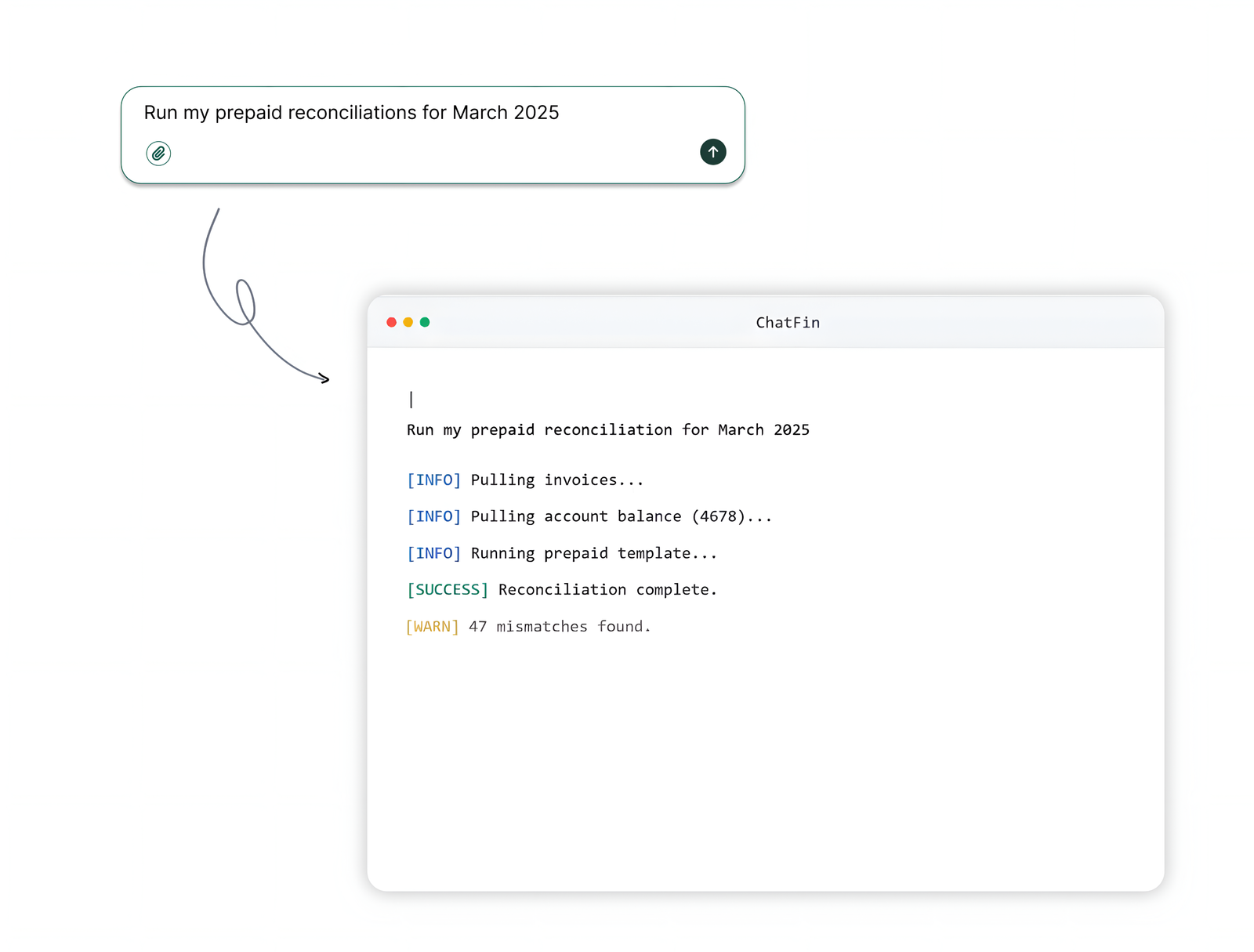
ChatFin replaces the manual matching and reasoning entirely for the reconciliations that span systems. It reads across the ERP and bank data, matches at scale, explains each reconciling item in plain language, and drafts the entries, with a person signing.
So for a team drowning in cross-system Excel reconciliations, a reasoning layer is the alternative that removes the most manual work. For a single-account, low-volume reconciliation, it may be more than you need.
Where Excel reconciliation is still fine
Where Excel is fine
Here is the honest part: Excel reconciliation is still fine for some cases, and it would be silly to pretend it never is. If a reconciliation is low-volume, lives in one system, happens rarely, and the person doing it knows it cold, a spreadsheet is flexible, fast enough, and free. Automating it would be over-engineering.
The AI alternatives earn their place when volume is high, the reconciliation spans systems, it recurs every period, and the manual hours and error risk are real. Below that, Excel is a reasonable tool. The point is not that spreadsheets are bad; it is that they are the wrong tool for the heavy, recurring, cross-system reconciliations where the hidden cost is largest.
Automate the heavy, recurring, cross-system reconciliations.
Manual Excel reconciliation is flexible and quietly expensive. The AI alternatives match and explain across systems rather than asking a person to do it by hand, with a reasoning layer removing the most manual work.
For low-volume, single-system, occasional reconciliations, Excel is still fine. The alternatives are for the heavy, recurring, cross-system work where the hidden cost is largest.
What does an AI reconciliation tool take in and return?
An AI reconciliation tool takes two or more sources that should agree, such as a bank statement and the cash account, or a subledger and its control account. It matches lines on amount, date and reference, allows for timing and rounding, and returns three piles: matched, unmatched, and unmatched with a likely reason attached. The third pile is what separates it from a lookup formula.
Moving a reconciliation out of Excel starts with writing down what the sheet does: which columns are the keys, what tolerance counts as a match, which adjustments get posted each month. That description is the instruction the tool needs. It is also a quick test of whether anyone besides the preparer knows how the reconciliation works.
Ashok Manthena, CEO of ChatFin and host of the AgentCFO podcast, on building a reconciliation template.
“If you're thinking, let's say you're making a reconciliation template, building that just in text, all these steps is actually very complicated. The easiest way is to build an Excel template. ... I tried it and it's very complicated just directly converting it into text. So the best way is to convert that into Excel first and let AI read the Excel and come up with its own process.”
Reconciliations teams move out of Excel first
Each of these has a fixed set of sources and a monthly deadline, which is what makes it a candidate.
- Bank statement to cash account. Outstanding checks and deposits in transit are identified and carried forward, so the preparer works only on items that have no timing explanation.
- Payment processor payouts to sales. One deposit nets out fees and refunds across many orders. The tool breaks the deposit back into the orders behind it and shows what the fees were.
- Intercompany balances between entities. Two ledgers disagree on what one entity owes the other. The tool matches on reference and shows which side is missing the entry.
- Subledger to control account. The receivables subledger total does not equal the general ledger balance. The tool lists the items posted straight to the control account, which is usually where the gap sits.
- The balance an auditor asks about. Each reconciling item comes with an explanation and the source lines, so the answer to the auditor is a list that can be followed.
Samantha Singer-Guindi, a CFO, controller and director of finance in hospitality, on AI answers in finance.
“If you're gonna give me AI and you're gonna tell me an answer and you can't back up what that number is comprised of, then I'm gonna tell you to leave my office.”
Quick Answers on AI Reconciliation Tools
What should I look for in an AI reconciliation tool?
Check which systems it reads directly, how you set matching tolerances, whether it explains each unmatched item, and whether you can open the source lines behind every match. An exception list with reasons attached matters more than a match rate.
Can an AI reconciliation tool use my existing Excel template?
The template is a good starting point because it records the keys and tolerances you already use. The tool still needs live data from the ledger and bank rather than a pasted export, or you are back to refreshing a sheet by hand.
How accurate is AI reconciliation compared with a spreadsheet?
Accuracy depends on the data and the rules. A tool that shows each match and its reason lets you sample and verify, which a hidden VLOOKUP does not. Judge it on a reconciliation where you already know the answer.
Do I still need a reviewer if AI does the reconciliation?
Yes. The reviewer reads the exceptions and the explanation for each reconciling item, and decides which adjustments to post. The review gets shorter because it covers items, not every line.
Which reconciliations are worth automating first?
The ones with many lines, a monthly deadline and more than one system, such as processor payouts, intercompany and subledger tie-outs. A small single-account reconciliation can stay in Excel until volume grows.
Why does Excel reconciliation get harder as volume grows?
A sheet that works for one account and a hundred lines becomes unmanageable across many accounts and thousands of lines, because manual effort grows faster than volume. Formulas also break when someone edits a cell, and errors persist because a spreadsheet does not check itself against reality.
See a cross-system reconciliation done for you.
Bring a reconciliation you do in Excel. We will show a reasoning layer matching across systems, explaining each item, and drafting the entries, and tell you honestly if the sheet was fine.