
SAP BUSINESS ONE SCENARIOS
An Assistant That Understands Your SAP Business One Custom Fields
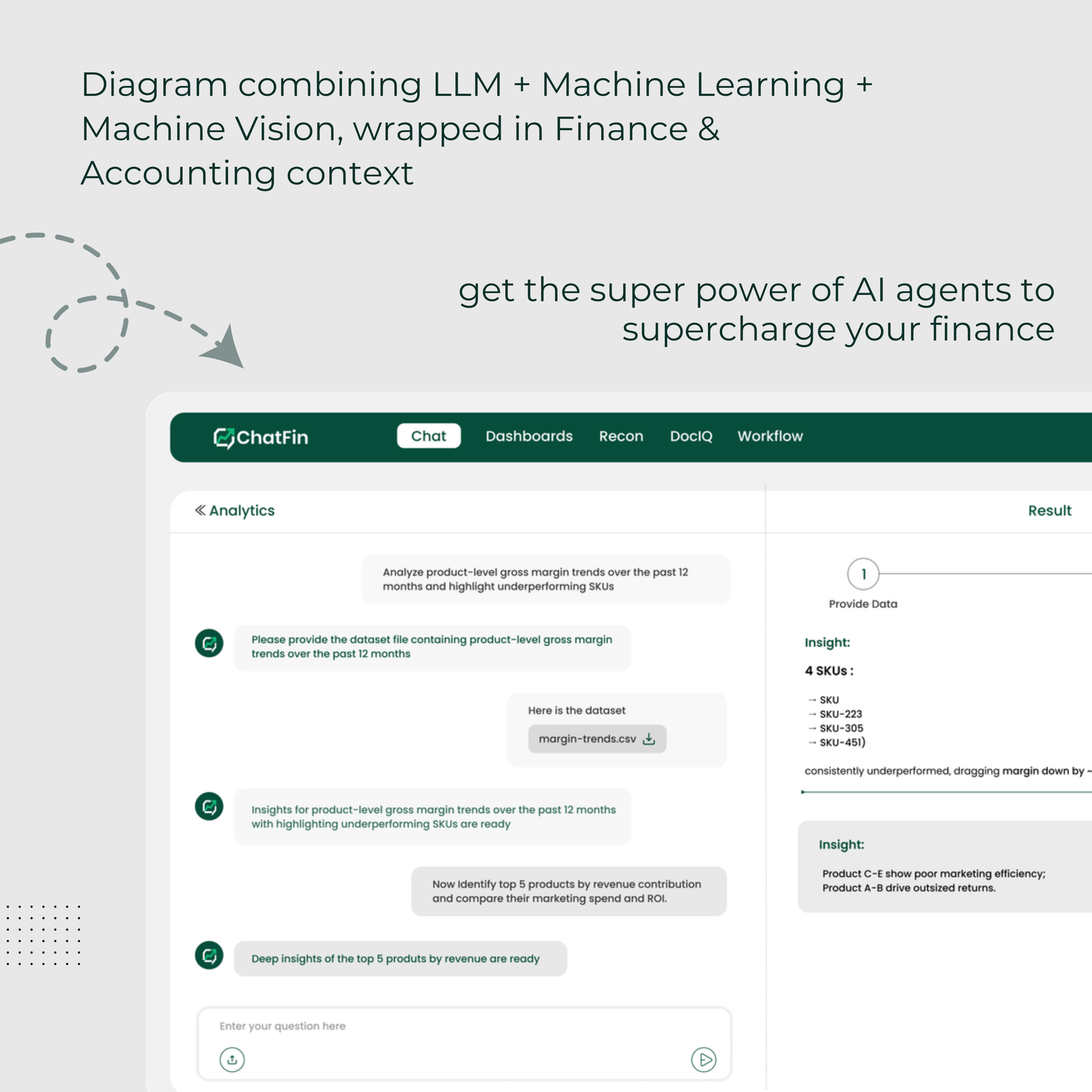
Your B1 is not the generic B1. The UDFs and add on tables are exactly where a general purpose model guesses.
- SAP Business One companies customise heavily through user defined fields and objects, and that customisation carries meaning the standard schema does not describe.
- Generic AI cannot interpret your user defined fields, so it ignores them or guesses, and either way the answers are wrong where they matter most.
- The fix is understanding, not cleaning: the assistant needs to be told what each field means in business terms.
- Custom processes matter as much as custom fields, because how your business actually works often differs from standard SAP Business One.
- ChatFin is configured to understand your user defined fields and custom processes, so it uses them correctly rather than ignoring them.
This requirement comes from a company that has made SAP Business One its own. Over the years you have added fields, objects and processes that reflect how your business actually works, and any AI that does not understand them will be answering a different, simpler version of your business.
That is the specific reason generic AI tools disappoint on a customised SAP Business One, and it is worth understanding why.
Why Customisation Carries Meaning
SAP Business One is designed to be extended, and most companies extend it heavily. User defined fields on documents and master data, user defined objects for things the standard system does not model, and custom processes built on top.
That customisation is not decoration. It carries meaning central to how you run: the project a cost belongs to, the region a customer is in, the reason an order was held. An assistant that cannot read it is missing the part of your data that is most specific to you.
Why Generic AI Fails Here
A general purpose model pointed at your SAP Business One sees a field with a technical name holding a value it has no way to interpret. It does not know that this field is the project code and that one is the delivery region.
So it does one of two things, and both are wrong. It ignores the field, missing meaning that matters, or it guesses, producing a confident answer built on a misunderstanding. On a customised system that is where the errors concentrate, precisely because the customisation is where your specific meaning lives.
Understanding, Not Cleaning
The fix is not a data cleanup. Your user defined fields are probably fine as they are. The fix is understanding: the assistant needs to be told, once, what each field means in business terms.
That this field holds the project code, that one the delivery region, that this flag means the order is on a particular kind of hold. It is a mapping exercise done during configuration, not a data quality project, and it is what turns a generic tool into one that speaks your business.
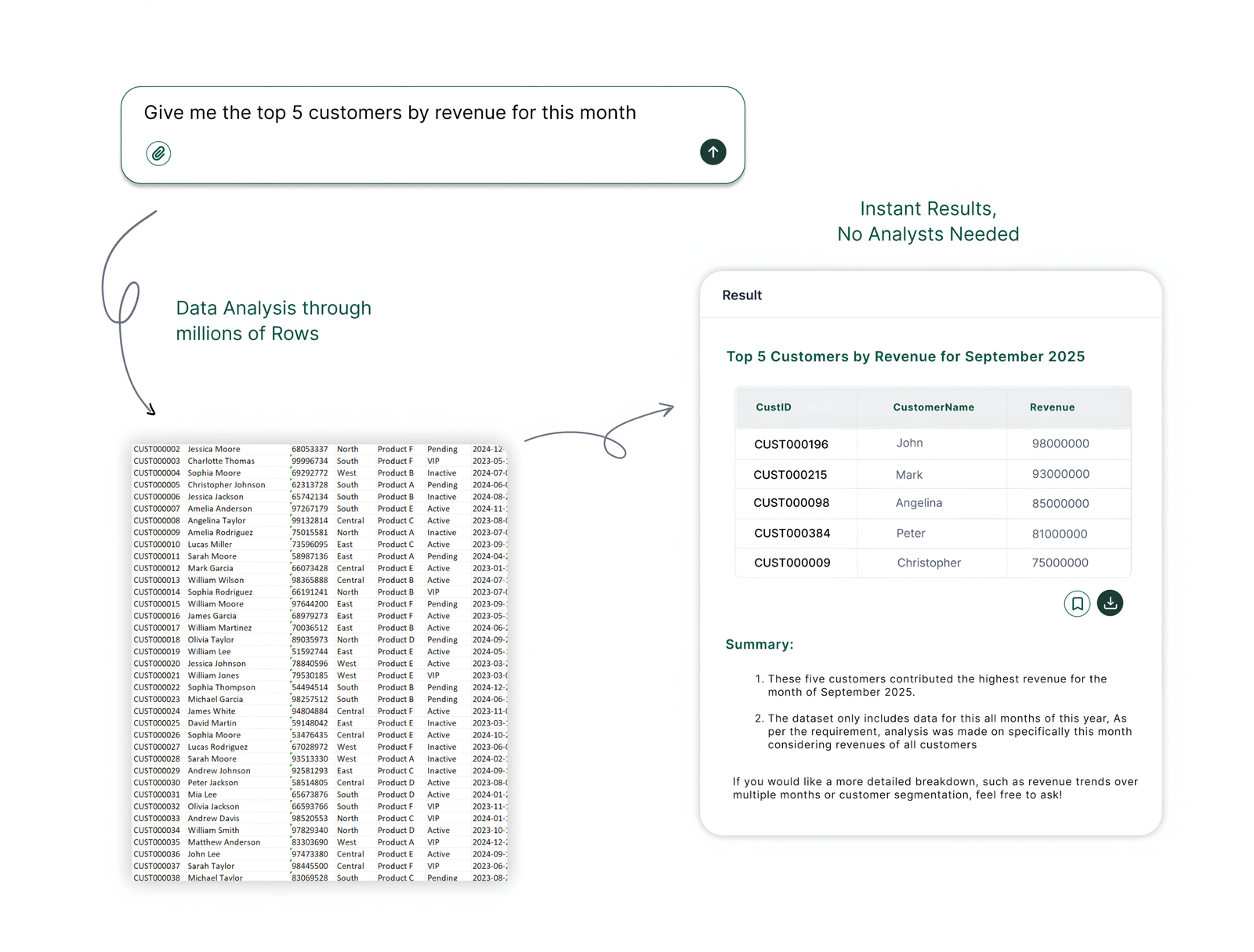
Custom Processes Matter Too
Fields are half of it. The other half is how your business actually works where it differs from standard SAP Business One.
A custom approval step, a particular way you handle a certain kind of order, a status that means something specific in your operation. An assistant that understands your fields but not your processes will still give answers that miss how you actually run.
How to Test Whether It Understands
The way to test this is to ask a question that depends on your customisation and see whether the answer reflects it.
Ask something that can only be answered correctly by using a user defined field, or by knowing a custom process. A generic tool will ignore the customisation or guess; a tool that understands will use it and show you the rows that prove it.
Why This Is a Requirement, Not a Nice to Have
For a customised SAP Business One, understanding your fields and processes is not an enhancement, it is the difference between right and wrong answers.
An assistant that ignores your customisation is answering a simplified version of your business, and the simplification removes exactly the detail that makes your operation yours. That is why this belongs in your requirement rather than on a wish list.
"Generic AI sees a field it cannot read and either ignores it or guesses. On a customised system that is exactly where the answers go wrong."

Where ChatFin Fits
ChatFin is configured during setup to understand your user defined fields and custom processes, so it uses them correctly rather than ignoring them or guessing.
That mapping is part of a workshop, not a data project, and it is what lets ChatFin answer questions about your business as you actually run it. Our page on data preparation covers how this fits into deployment.

Understand the Customisation, Not Just the Standard Fields
ChatFin is configured to understand your SAP Business One user defined fields and custom processes, so it answers questions about your business as you actually run it rather than a simplified version.
Your customisation is where your specific meaning lives. An assistant that cannot read it is answering a different, simpler business.
Where SAP Business One reporting runs out
SAP Business One handles transactions well. These five gaps are documented, and every one of them ends in a spreadsheet.
No native consolidation. Multi company consolidation means exporting each company's reports and combining them in Excel, which is why close week reruns the same pack repeatedly.
No transaction currency reporting. Native reports cannot produce statements in transaction currencies, which makes reconciliation harder and slows period end.
One accounting standard per company. B1 assumes a single reporting standard per managed company, so running US GAAP and IFRS in parallel means manual adjustment at consolidation.
Rigid report formats. A chart of accounts change forces manual restructuring of income statement rows rather than the report adapting.
Weak statutory mapping. You can hold an external code per GL account, but there is no mapping to multiple alternate charts and no way to run statements on them.
An agent connected over the Service Layer reads across companies and answers the consolidated question directly, which is the step that currently happens in Excel.
What a User Defined Field Looks Like to an Agent
Through the Service Layer, a user defined field appears on a document or master record as a property with a U_ prefix and a value. The name is whatever someone chose years ago, and the value might be a code, a flag or free text. Nothing in the response says what U_Hold2 means or which of its values are valid.
A field definition in Business One can carry a description and valid values, and those are worth reading when they exist. The business meaning, such as which values count as a credit hold, is often held by one finance person. Getting that written down once is the main setup step, and it also helps every new hire.
Questions That Depend on Your Own Fields
Each of these returns a plausible but wrong answer from a tool that cannot read your fields.
- Revenue by project code. A user defined field on invoice rows holds the project. A generic tool sums by customer and misses it, while a mapped assistant groups by project and shows the invoices.
- Orders on a credit hold. A flag on the sales order marks a hold, and only some values mean credit. The assistant needs that list of values to count held orders correctly.
- Margin by delivery region. Region sits in a field on the customer record, not in any standard address field. Once it is described, margin by region becomes a single request.
- A home built tool beside a product. Finance builds a small internal tool that knows the field meanings, and later a vendor product arrives to do the same job. The written field dictionary is the part worth keeping.
- A general assistant and a specialist. A general assistant drafts the supplier email. A tool that has the field dictionary answers the question about held orders.
Teddy Collins, EVP of Finance at SeatGeek, on building an internal tool.
“It got piped into an artifact in our internal database, built permissions and all this stuff, and that was a quick build just over a couple of weeks. And then one of our vendor partners also happened to be building something very similar and we were able to let our internal software go by the wayside and helped us understand what we wanted.”
Adam Swoverland, VP of Finance at US Auto Force, on general and specialised AI.
“The generalist AI can help you with the, format my PowerPoint. Help me write this email. Those things are more suited for that, but then you need the specialized stuff, I think, to really drive home the value.”
Quick Answers on SAP B1 User Defined Fields and AI
Does ChatGPT understand SAP Business One user defined fields?
Not by itself. Connected to Business One it sees the U_ field name and value but not what they mean to your company. It needs a short description of each field, or it will ignore the field or guess.
How do I get AI to use user defined fields in SAP B1?
List the fields that matter, write what each holds and its valid values, and load that as context during setup. Then test with a question that can only be answered from one of those fields.
Can AI read user defined tables and objects in SAP Business One?
User defined objects and tables can be exposed through the Service Layer, so an agent can read them if the connection allows. Reading is easy. Knowing how they relate to standard documents is the mapping work.
Should I clean up my user defined fields before using AI?
Usually not. Retire fields nobody uses if you wish, but fields in daily use are fine as they are. The job is describing them, not rebuilding them.
Frequently Asked Questions
Why does generic AI struggle with SAP Business One user defined fields?
Because a general purpose model sees a field with a technical name holding a value it has no way to interpret. It does not know that this field is the project code and that one the delivery region. So it either ignores the field, missing meaning that matters, or guesses, producing a confident answer built on a misunderstanding. On a customised system that is exactly where the errors concentrate.
Do we need to clean our user defined fields first?
No. Your fields are probably fine as they are. What is needed is understanding, not cleaning: the assistant is told, once during configuration, what each relevant field means in business terms, that this holds the project code, that one the delivery region. It is a mapping exercise, not a data quality project, and it is what turns a generic tool into one that speaks your business.
How do we test whether a tool understands our customisation?
Ask a question that can only be answered correctly by using a user defined field or by knowing a custom process, then check the rows to see whether the answer actually used the customisation or ignored it. A generic tool will ignore it or guess, producing a confident answer that does not match your reality. A tool that understands will use it and show you the evidence.